

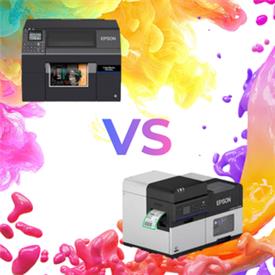

Exploring Dye Ink Vs Pigment Ink in Colour Label Printers
Wondering how to choose between dye ink vs pigment ink for labels, and where Epson ColorWorks printers fit? You’re in the right place.
Epson ColorWorks label printers are known for durable pigment ink technology. New dye-based ink models offer a vibrant alternative for brands seeking premium colour and finish.
This guide breaks down both ink types, shows where each excels, highlights common mistakes, and explains how ERS can help you compare them.
Why the Types of Ink For Printing Matter More Than You Think
Ink isn’t just “colour on a label” — it’s the driving force behind how your labels look, last, and perform in the real world. The chemistry inside each ink type shapes everything from vibrancy and finish to durability, regulatory compliance, and even long term cost behaviour.
Epson now offers dye and pigment inks within its ColorWorks range. Pigment ink printers remain popular for longevity, while the new dye-based options deliver richer colour quality and a polished finish for packaging and product labels.
The Chemistry Behind Dye Ink Vs Pigment Ink
The difference between pigment and dye—based ink comes down to how each behaves at a chemical level — and the easiest way to picture it is with two simple metaphors.
Dye Inks
Dye-based inks are like orange squash — the colour soaks into the material, giving you bright, smooth, powerful results.
Perfect for labels that need to look stunning, especially on glossy or premium media.
Pigment Inks
Pigment-based inks are more like oil on water — the colour sits on the surface, forming a tougher, more resilient layer.
Ideal for labels that need to survive moisture, sunlight, abrasion, or chemicals.
A New Era of Epson Dye-Based Ink Label Printers
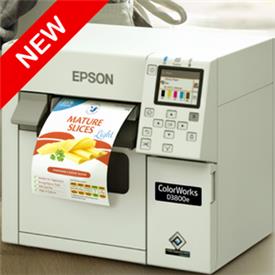
Epson's latest move into dye technology brings a new level of striking colour to the ColorWorks range. The standout launch is the ColorWorks D3800 — a brand new, compact, affordable entry point for businesses seeking powerful dye output without the industrial complexity.
The ColorWorks D6000 Series and Wide-Format D6500, though established, are gaining renewed interest as demand for dye ink printers grows.
When to Choose Dye Vs When to Choose Pigment
Choosing dye or pigment ink depends on your label's needs—attention-grabbing colour or long-lasting results.
Choosing Pigment Ink Labels
Pigment-based inks are the right choice when your labels need strong, consistent, and accurate colour that stays clear and reliable long after printing — especially in environments where label durability is tested.
- Offers water, smudge, and UV resistance during use.
- Delivers crisp, accurate prints for detailed elements.
- Fade-resistant colour endures cold storage and bright lighting.
- Ideal for GHS compliance, where labels must remain readable and intact.
We recommend these printers for product packaging, warehouse and logistics labels, compliance labels and event badges.
Which Epson Printers Use Pigment Ink?
- C3500 — compact build, durable pigment inks and affordable price point for entry-level needs.
- C4000 — desktop model with WiFi and improved pigment print quality.
- C6000 — positioned between desktop and industrial categories, this model provides greater speed and capacity, without the complexity associated with industrial models.
- C6500 — a wide-format pigment ink model with print widths up to 212mm, for businesses that require greater size flexibility than standard models.
- C8000 — ultimate print precision, ultra-fast print speeds and enhanced capabilities for heavier industrial workflows
If you want a deeper dive into the full pigment lineup, you can explore our breakdown in our ColorWorks pigment ink printers review.
Choosing Dye Ink Labels
Dye focuses on beauty, vibrancy, and shelf appeal with rich, saturated colour that elevates brand packaging.
- Exceptional colour depth and saturation for labels that need to stand out on shelves or online. One of the best examples is comparing black pigment ink with dye-based alternatives, which really highlights the colour intensity.
- Achieves smooth gradients and photo-like results, ideal for detailed designs.
- Glossy, premium presentation that enhances coated and high shine label materials.
Perfect for cosmetics, artisan food & drink, retail and boutique brands where visual appeal drives customer choice
Which Epson ColorWorks Printers Use Dye-Based Ink?
- D3800 — compact, vibrant output for smaller teams
- D6000 — impactful colour quality for high print volumes
- D6500 — wider print width with the same rich colours
Common Mistakes to Avoid
A few easy pitfalls can derail print quality — especially when navigating dye vs pigment ink. Here are the big ones to watch out for:
- Choosing dye for harsh environments — dye looks stunning, but it won’t survive water, UV, certain chemicals or other harsh conditions.
- Expecting pigment to deliver the same bold colour — pigment inks can be vibrant, but they won’t achieve the same smoothness and richness as dye.
- Overlooking media compatibility when troubleshooting print quality — the material is often the issue, not the printer or the ink.
- Assuming all ColorWorks printers use the same ink — mixing up dye and pigment models leads to the wrong media, wrong expectations, and the wrong results.
If you’re unsure which ink type is right for your labels, ERS — Epson’s ColorWorks Partner of the Year — can guide you with clear, practical advice from specialists who work with these printers every day. See the results in real-time with printer demonstrations and free sample packs.
Make Your Decision With Confidence — Compare Real Samples Side By Side
If you’re weighing up Epson dye ink vs pigment ink label printers, the simplest way to decide is to see the difference for yourself. ERS makes that easy with free sample packs covering both ink types, plus the full range of desktop and industrial ColorWorks models.
To explore further, you can:
Order a free sample packIndustrial sample pack
Explore the full ColorWorks range
We can also arrange hands on demo sessions where you can test real media, explore different ColorWorks models, and get practical guidance from UK based specialists who understand your workflow.