
Guide to Building Kiosk Machines With Reliable Hardware
If you’ve visited a supermarket or fast-food chain recently, you’ve likely seen kiosk machines.
With 77% of UK consumers preferring self-service (Deloitte, 2023), digital kiosks are now common in retail, hospitality, healthcare, transport, and more.
What Is An Interactive Kiosk
Interactive kiosks are typically defined as computer systems that allow users to perform tasks without requiring employee support. This allows users greater independence and more efficient operations for organisations.
We’ll cover key components of kiosk systems, why we recommend Newland for screens and scanners, and provide a downloadable step-by-step guide.
Where Kiosks Deliver Impact
Whilst interactive self-service options are popular in consumer industries, there’s growing interest across many sectors due to their undeniable convenience and operational benefits.
Retail
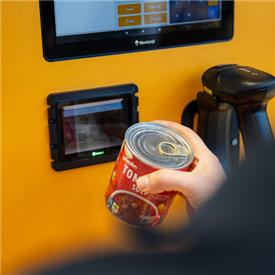
Self-service retail kiosks help stores run more efficiently by reducing queues, speeding up checkout, and lowering staff pressure during peak times. They make loyalty and click and collect journeys more efficient and encourage higher basket values through simple upsell prompts. Vending kiosks extend product access 24/7, increasing revenue without increasing labour.
Hospitality
Service touchpoints allow guests to place orders, check in, buy tickets or leave feedback independently, allowing teams to focus on high value service moments rather than routine transactions — improving both efficiency and guest satisfaction. Additionally, self ordering kiosks help restaurants handle busy periods by reducing wait times and improving order accuracy, thereby reducing waste and rework.
Healthcare
Healthcare kiosks improve patient flow by automating check—ins and reducing bottlenecks, helping clinics and hospitals run more smoothly. They support safer access control, reduce administrative workload, and help patients reach the right care pathway faster — improving throughput and freeing clinical staff for direct care.
Transport
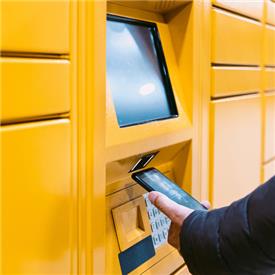
Journey planning and ticketing kiosks keep people moving by offering fast, reliable self—service for ticket purchases, check—ins and travel information. For operators, this means shorter queues, lower staffing requirements, and more consistent service delivery across busy hubs.
Other Kiosk Machine Applications
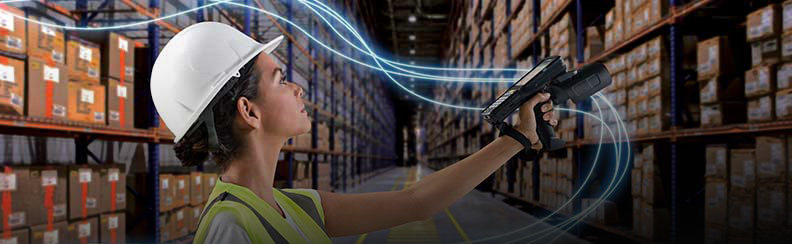
Across offices, campuses, warehouses and industrial sites, kiosks streamline everyday admin by enabling quick, independent sign—ins for employees, contractors, visitors and students. They support access control, equipment management, job dispatch, and shift or task allocation — reducing manual checks and helping organisations operate more efficiently and securely.
What Makes a Successful Kiosk
A great kiosk experience relies on a few core ingredients that keep interactions smooth, fast, and frustration free:
- Reliable touchscreen — responsive, accurate, and easy for anyone to use.
- Fast, accurate self-service scanner — essential for quick check—ins, product scans, and seamless pickups.
- Durable hardware — built to handle constant use in busy, high traffic environments.
- Intuitive interface — clear, simple journeys that reduce hesitation and keep queues moving.
- Easy integration — connects smoothly with existing systems, apps, and workflows.
- Flexible placement — compact, adaptable hardware that fits counters, walls, or tight spaces. In some cases, this even includes portability.
Why Newland Kiosk Technology Excels
Kiosks run continuously, so the hardware inside must be reliable. Newland offers touchscreen micro kiosk designs that fit into compact housings, paired with reliable scanning that handles damaged, low contrast, and mobile barcodes. Their technology is designed for 24/7 operation with usability from setup through integration.
With a 5—year warranty, a 'customer first' approach, and strong end—to—end design partnerships, Newland gives us the confidence to supply the right components — backed by our own depth of knowledge and responsive customer service — to help kiosk companies create technology that lasts.
Recommended Kiosk Components — Screens and Scanners
Here are our top picks for kiosk hardware components, chosen to help you quickly identify and select reliable options for building effective self-service kiosks. This list is intended as a practical reference to guide your component decisions, including a range of Newland touchscreens and scanners.
The full PDF guide will break down essential screen and scanning hardware, along with use—case pairings, to help you choose the right components for any kiosk build.
Kiosk Screens
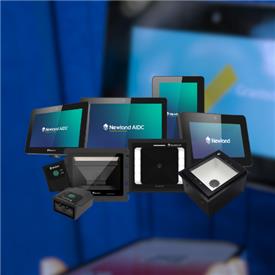
Newland's NQuire 500, NQuire 750 and NQuire 1000 are compact, commercial grade micro kiosks designed for self—service. The 500 suits space-saving self-service units, while the 750 and 1000 offer a larger, more immersive interface for richer journeys such as product lookups, check—ins, and ticketing. All deliver responsive touch performance and clean integration into kiosk housings.
Barcode Scanners
Newland’s fixed-position scanners cover a wide range of self—service requirements, with flexible mounting options that make integration straightforward across diverse environments.
The FM3080 offers reliable scanning across a variety of barcode sizes, including on-screen codes, within busy indoor environments.
The FM60 ensures rapid scanning, using AI-powered technology to read challenging barcodes. It’s ideal for fast-paced, customer-facing kiosks which require optimal performance, easy integration and high motion tolerance.
The FM430/FM431 deliver fast, versatile scanning for busier, higher volume applications. They support multiple mounting orientations — portrait, landscape or recessed — making them suitable for more complex or high traffic installations.
The FM3281 performs exceptionally well in challenging outdoor environments thanks to its IP67 rated sealing, which prevents moisture and condensation from affecting scan performance. It also maintains reliable reads even in bright, direct sunlight, making it a strong choice for outdoor self—service points where lighting and weather conditions are unpredictable.
Download the Full Kiosk How-To Guide
Get a clear, practical breakdown of the components behind reliable self—service setups — from the anatomy of kiosk machines to use—case examples, how to choose the right screens and scanners, and recommended Newland hardware by application.
Explore Newland's Product Range
If you’d like tailored advice on screens, scanners or supporting hardware, get in touch with ERS — our team can help you choose the right components for your project.